Piano Practice is a free web app where you learn songs from falling notes, train your ear on note names and read notes on the staff. It opens straight in the browser with nothing to install.
How to start
- Open Songs and start with Twinkle Twinkle. Stage 1 waits at the hit line until you press the right key, so take your time.
- Stage 2 runs at tempo. Press as the note reaches the line for PERFECT or GOOD; 60% accuracy earns the first star.
- Stages 3 and 4 add the left hand. On a phone use the on-screen keys; on a computer the left half of the keyboard is your left hand and the right half your right.
- In between, use Ear Training and Sight Reading, then play freely on the Keyboard and record yourself.
Before the first lesson
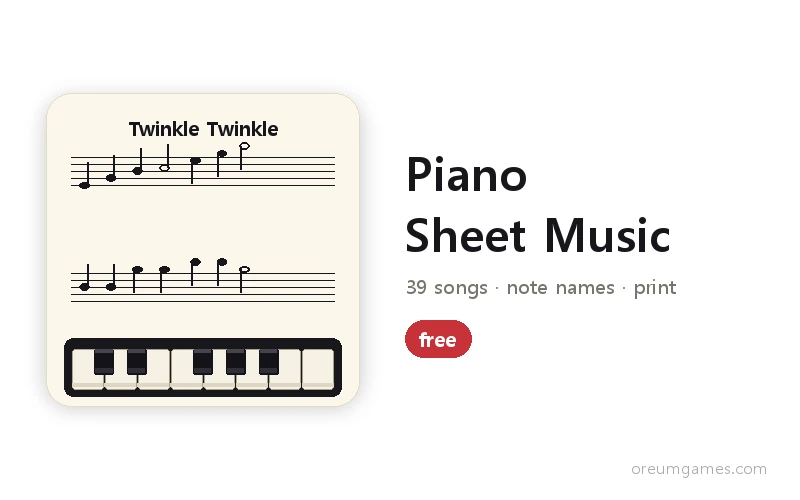
Learning piano alone takes an eye for the staff, an ear for pitch and hands that find the keys, so this app keeps song practice, ear training and sight reading together. All 39 pieces are public domain, and the same songs are available as printable sheet music on the Piano Sheet Music page.
The piano sound is synthesised in the browser with no audio files, so the page opens instantly. Stars, progress and your last recording stay in this browser and are never sent to a server.
- Type
- Piano practice · Music learning · Free web app
- Songs
- 39 (children songs, carols, classical, Hanon, scales) × 4 stages
- Training
- 12 ear-training levels · 12 sight-reading levels
- Keyboard
- Free play · record · metronome · pedal · grand-staff display
- Sound
- Browser-synthesised piano (no files)
- Works on
- Desktop (computer keyboard) and mobile browsers (on-screen keys)
- Released
- 2026-10-07
- Last updated
- 2026-10-07
Good for — adults starting piano from scratch, anyone who wants to try a song before buying a keyboard, parents learning note names with a child, and students warming up between lessons.
FAQ
How do the four stages differ?
Stage 1 (right hand practice) stops at the hit line until you press the note. Stage 2 (right hand play) runs at tempo and you must press as the note reaches the line. Stages 3 and 4 add the left-hand notes. Stars come at 60%, 80% and 95% accuracy.
How do I play on a computer keyboard?
The left half of the keyboard is the left hand and the right half the right hand. Left: Z X C V B, then A S D F G, then Q W E R T go up the scale. Right: N M , . /, then H J K L ; and the quote key, then Y U I O P. Hold Shift for a black key, and Space is the sustain pedal. The letters are printed on the on-screen keys.
What happens in Ear Training?
Each question plays a reference C first, then the question note, and you press the key you heard. It starts with C D E and grows to black keys, two octaves, and sequences of two or three notes over 12 levels.
What does Sight Reading show?
One note on a staff; you press its key. Levels go from treble C to G up through ledger lines, sharps, flats, bass clef and a mix of both clefs. A wrong answer lights the correct key and plays it.
Which songs are included?
Children songs such as Twinkle Twinkle and Mary Had a Little Lamb, carols such as Jingle Bells and Silent Night, classical themes such as Ode to Joy, Canon in D, Für Elise, Minuet in G and Rondo alla Turca, plus Hanon No. 1 and major and minor scales — 39 pieces, all public domain. Longer works use the opening section and say so in the title.
Can I hear my recording again?
Press REC on the Keyboard screen, play, then PLAY to hear it back. The last recording stays in this browser. There is no audio file download.