QR Code Generator
- Free
- No watermark
- Never expires
- No sign-up
🔒 What you type becomes a QR code only inside this browser on your device. Nothing is stored on a server, and your QR code never expires.
QR Code Generator is a free web tool that turns links, text, Wi-Fi details and contacts into QR codes. The content goes straight into the image, so your QR code never expires.
How to make a QR code
- Choose what to make: Link, Text, Wi-Fi or Contact.
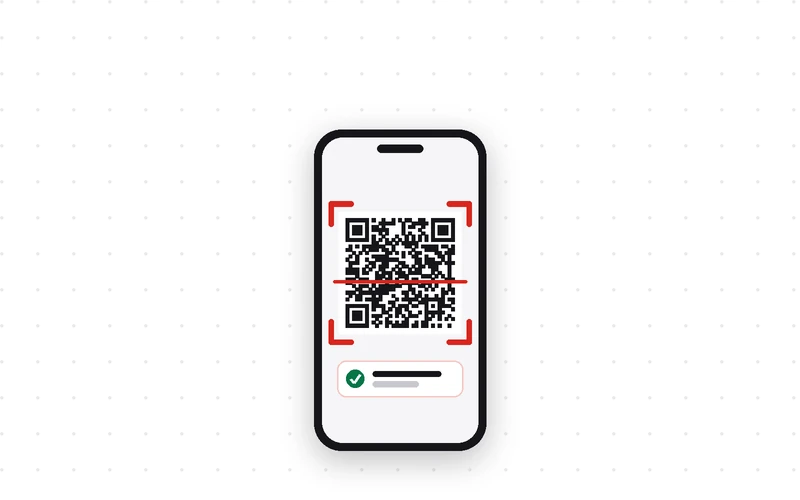
- Type the content and the QR code appears right away. ✓ Scan verified means the code reads correctly.
- Pick a color and save size if you like. For printing, 2048 px or SVG works best.
- Click Save PNG, Save SVG or Copy image.
Unlike QR codes that expire
Some QR code sites make a free code and then stop it after a trial period until you pay, because the code goes through their own redirect address.
Here the link or Wi-Fi details go straight into the image. That is why it never expires and keeps working even if this site disappears. The trade-off: you cannot edit it later. To change it, simply make a new one.
- Type
- QR code generator · Free tool
- Makes
- Links · Text · Wi-Fi · Contacts
- Formats
- PNG (512–2048 px) · SVG · Copy image
- Expiry
- None (static QR code)
- Processing
- In your browser (nothing stored)
- Released
- 2026-09-19
- Last updated
- 2026-09-19
Good for — shops sharing Wi-Fi with customers, links on business cards, flyers and invitations, and anyone who needs a clean QR code without a watermark.
FAQ
Is the QR code generator free? Any watermark or sign-up?
It is completely free. No sign-up, no watermark and no limit on how many codes you make.
How long will my QR code work?
Forever. The content goes straight into the image, so it keeps working even if Oreum Games disappears.
How do I make a Wi-Fi QR code?
Open the Wi-Fi tab and enter the network name, password and security type. Guests point their phone camera at it and join without typing the password.
Can I save a large version for printing?
Choose 2048 px as the save size, or save as SVG. SVG stays sharp at any print size.
Can I change the QR code color?
Yes. Light colors may not scan, so a warning appears under the preview if the code might not read. Dark colors on white scan best.
Is what I type saved anywhere?
No. It is turned into a QR code only inside the browser on your device and is never sent to a server.
Can I change the link after making the code?
No. The content is written into the image itself. If the link changes, make a new QR code.